File Comparison
You can use the Business Object Builder to compare a current Business Object Package to another selected Business Object Package in order to view similarities and differences between them, using an option on the Package page.
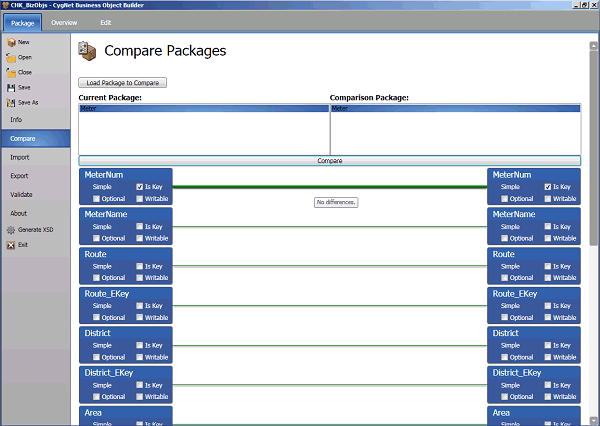
To Compare Business Object Packages
- On the Package page, click Compare to display the Compare Packages pane.
- Verify that the Current Package: field lists the package you want to compare.
- Click Load Package to Compare to browse to the directory containing the file which you want to compare to the current package.
- Select the desired file and click Open to load it in the Comparison Package: field.
- Click Compare to compare the packages.
- When the comparison process is complete, results found will appear in the Compare field. Hover over the comparison line between the similar attributes to highlight the line and display the differences between the selected package elements.
- Click Close or navigate away from the page to conclude the comparison.

